The Expire Attempts feature allows you to define a time limit (in days) for learner attempts. Once this duration is exceeded, the learner’s completion is marked expired.
This is particularly useful in environments where learning is time-sensitive, regulated, or must be periodically refreshed. Such as workplace safety regulations where annual retraining is required.
Steps to Enable Attempts expiration:
- Go To xAPI content edit page.
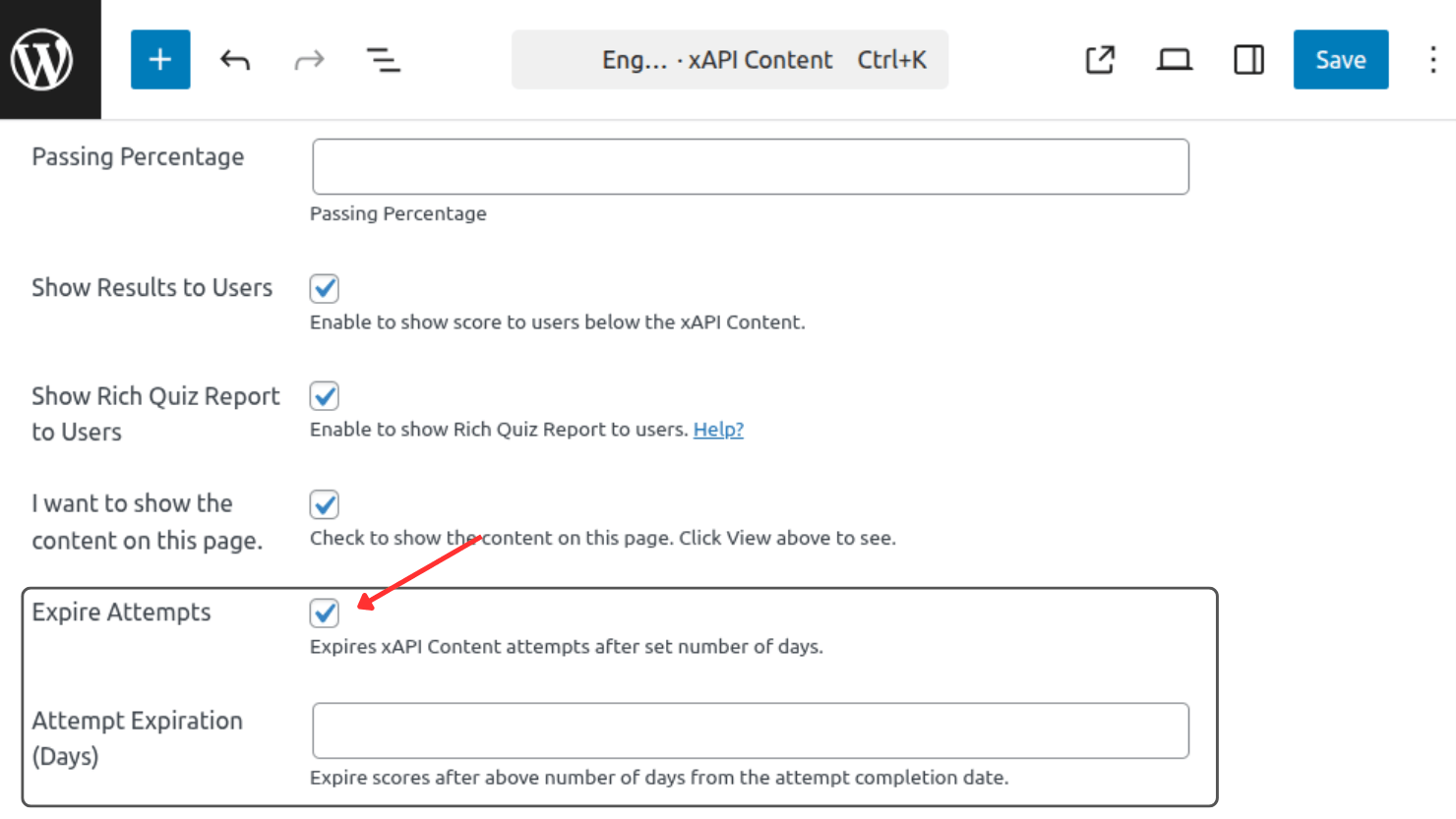
- Scroll down and in the xAPI Content details meta box, click on the Expire Attempts checkbox.
- A new field below the Expire Attempts will appear. Set a number of days in the field and save the post.
Note: The Expire Attempts feature depends on the WordPress Cron system. A scheduled daily job checks all attempts against their configured expiry dates and automatically expires eligible attempts. Once expired, the completion status for the associated xAPI content is removed, requiring the learner to complete the content again.
Update expiry date of past attempts
If you are setting up Attempt Expiration on an older xAPI Content which many learner have already attempted, you can retroactively update the expiry dates of these attempts following these steps:
- After saving the xAPI content post, refresh the page.
- On refreshed page you will see a link with the text Update Expiry Date for All Attempts below the same checkbox we marked earlier.
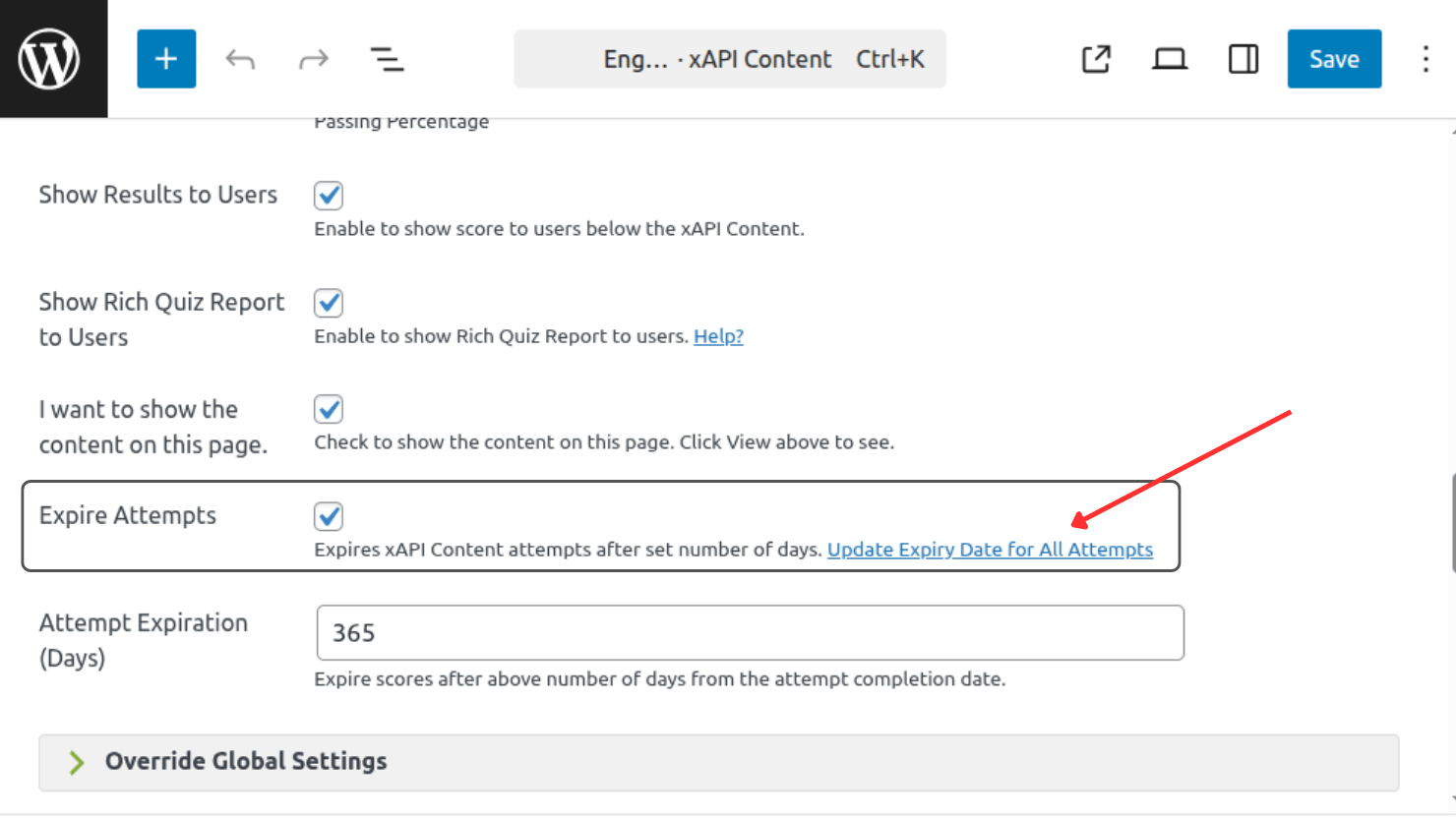
- Click this link to update the expiry date to all the attempts.
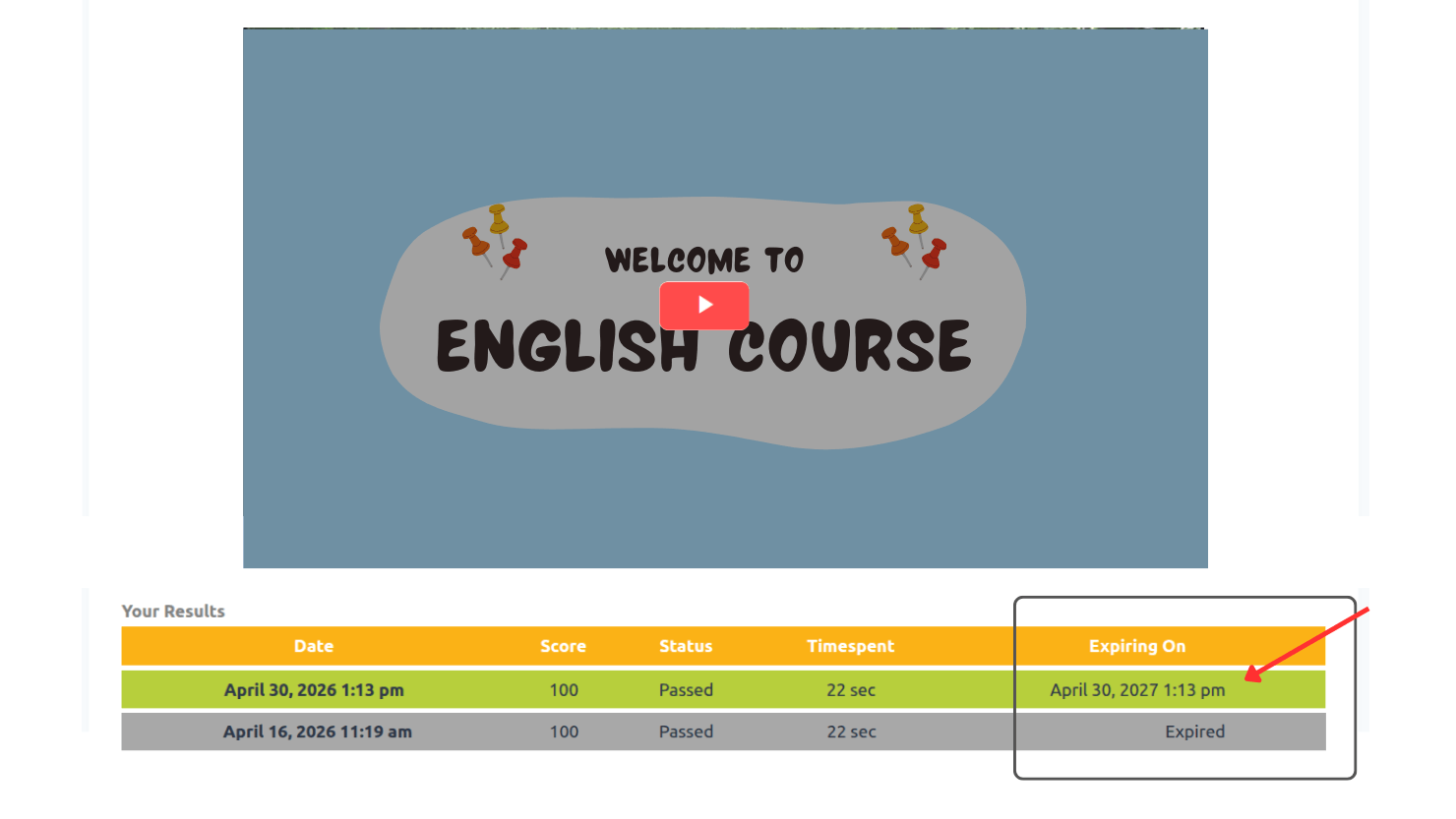
- Updated expiry date can be seen in the Results table below xAPI Content
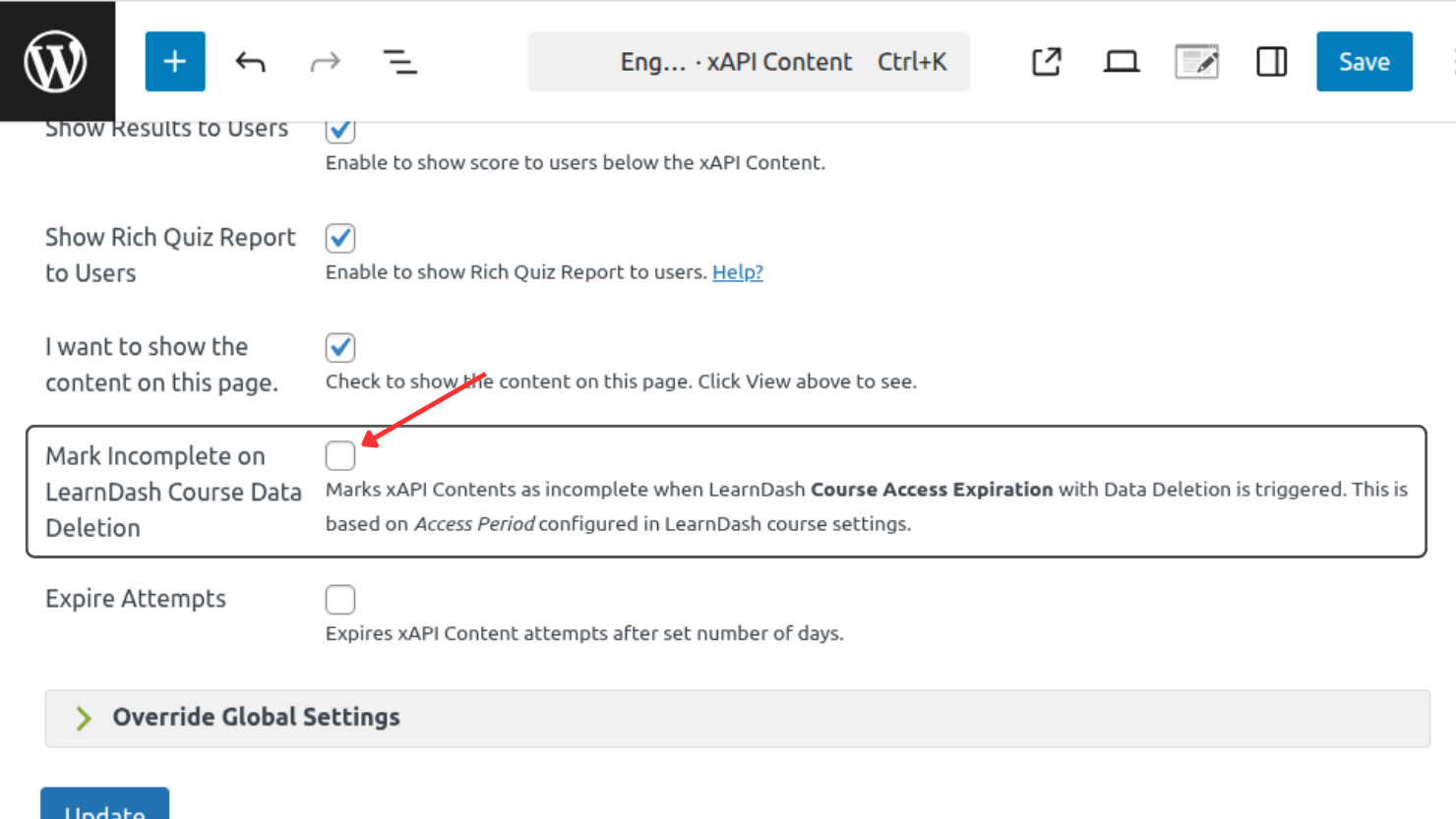
Mark Incomplete xAPI Content on LearnDash Course Data Deletion
LearnDash LMS provides Course Access Expiration feature, where you can toggle-on the Data Deletion when course expires. If you are LearnDash user and using these features, you can also remove the completion data of the associated xAPI Contents on LearnDash course data deletion.
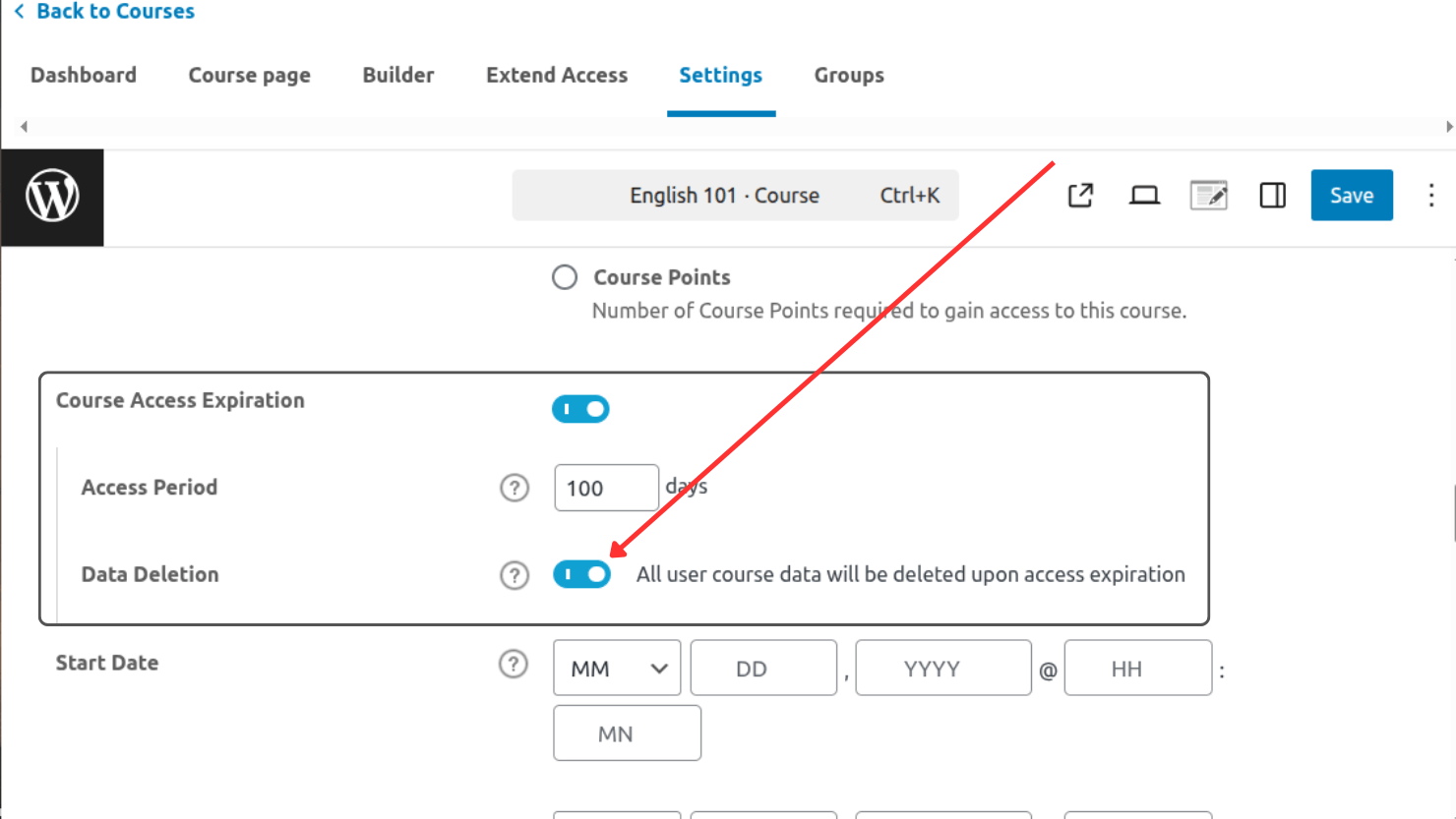
To apply this feature:
- Go To xAPI content edit page.
- Scroll down and in the xAPI Content details meta box, click on the Mark Incomplete on LearnDash Course Data Deletion checkbox to check it.
- Save the xAPI Content.