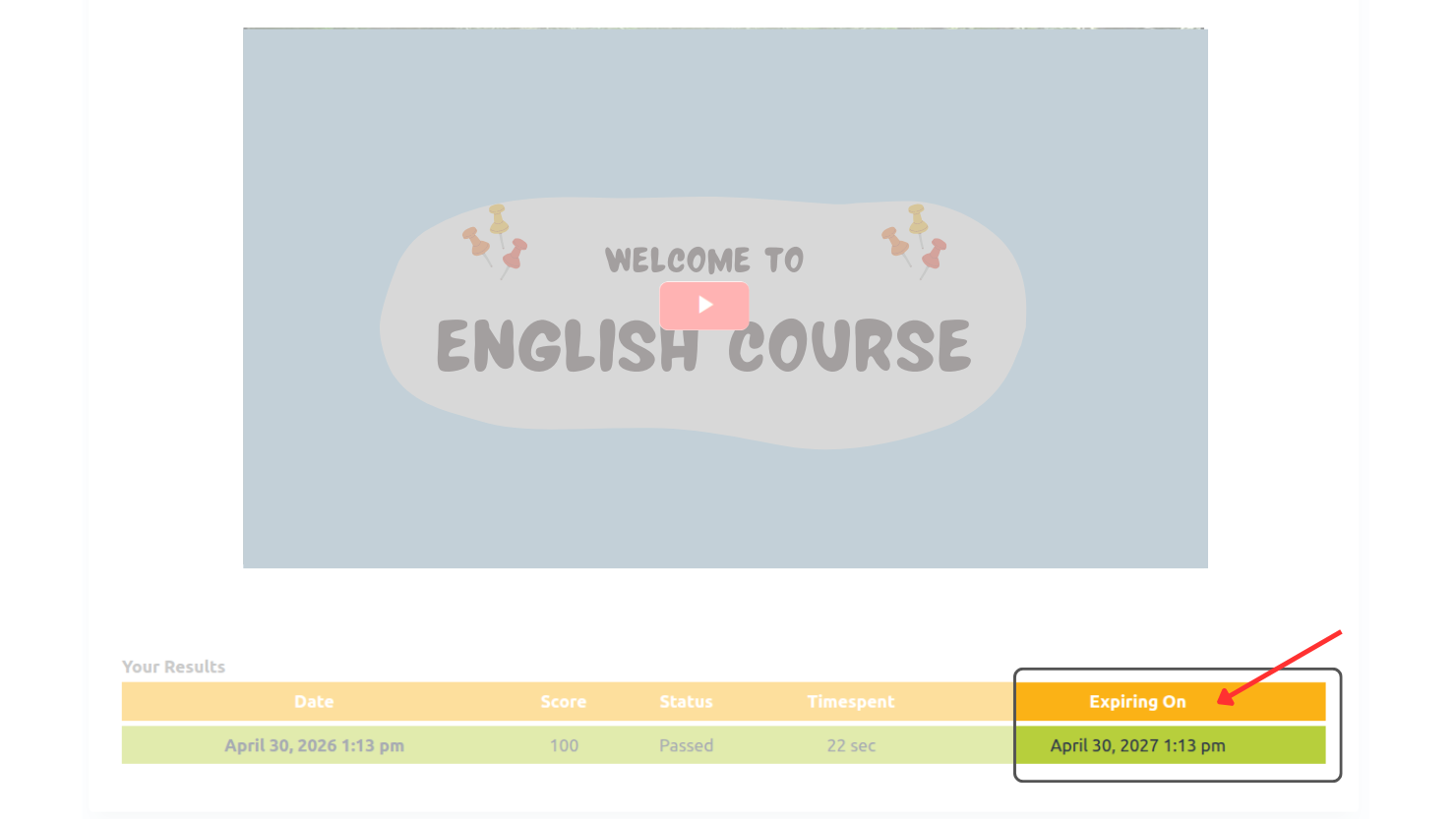
The Expire Content feature allows you to define a time limit (in days) for learner attempts. Once this duration is exceeded, the learner’s completion is marked expired.
This is particularly useful in environments where learning is time-sensitive, regulated, or must be periodically refreshed. Such as workplace safety regulations where annual retraining is required.
How To:
- Open xAPI content edit page.
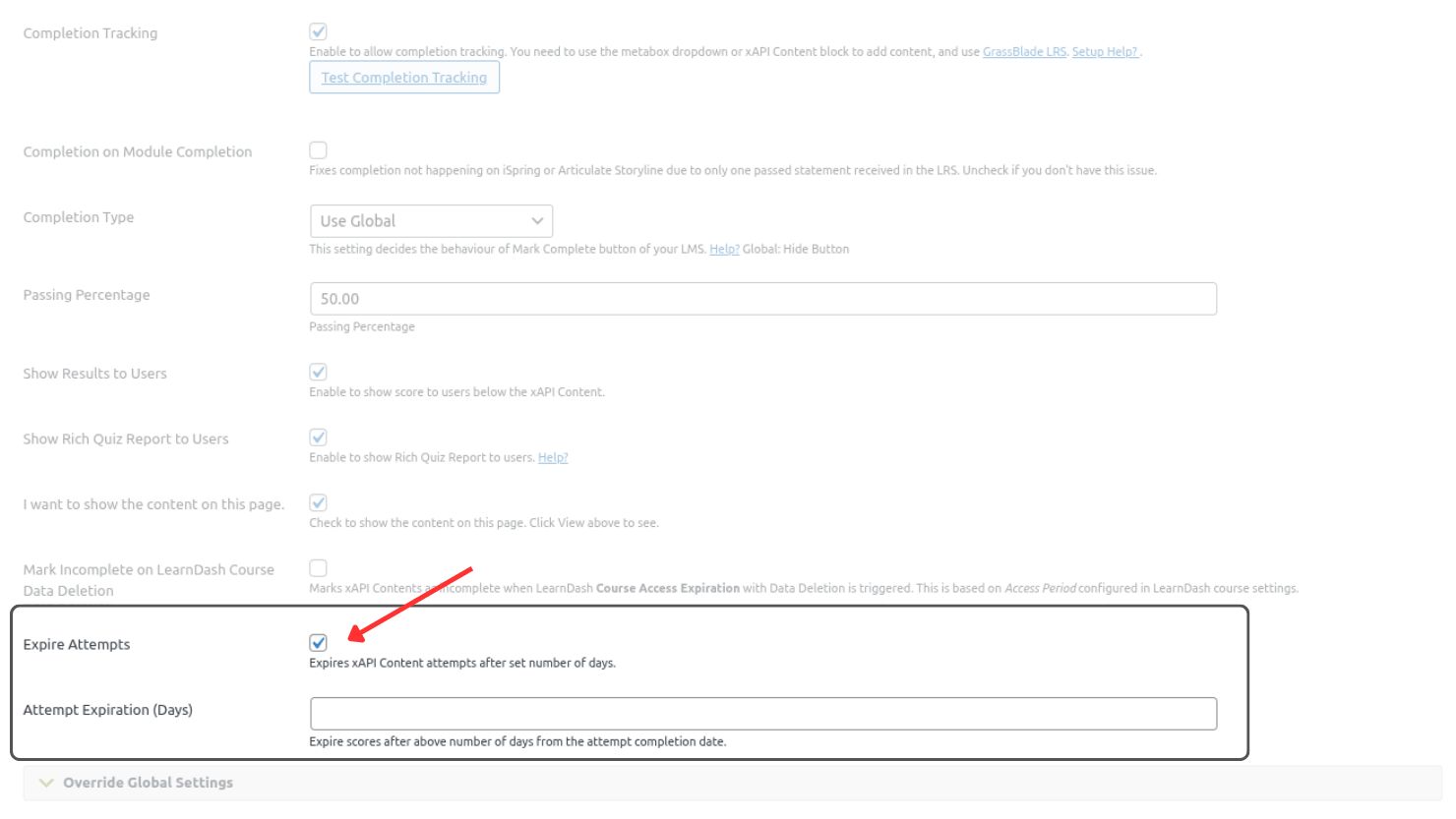
- Scroll down and click on the Expire Attempts checkbox to enable attempts expiration.
- A new field below the Expire Attempts will appear to set number of days for expiration.
- Set a number for content attempt expiration and save the post.
- After saving the xAPI content post, refresh the page.
- After refreshing the page you will see a link Update Expiry Date for All Attempts.
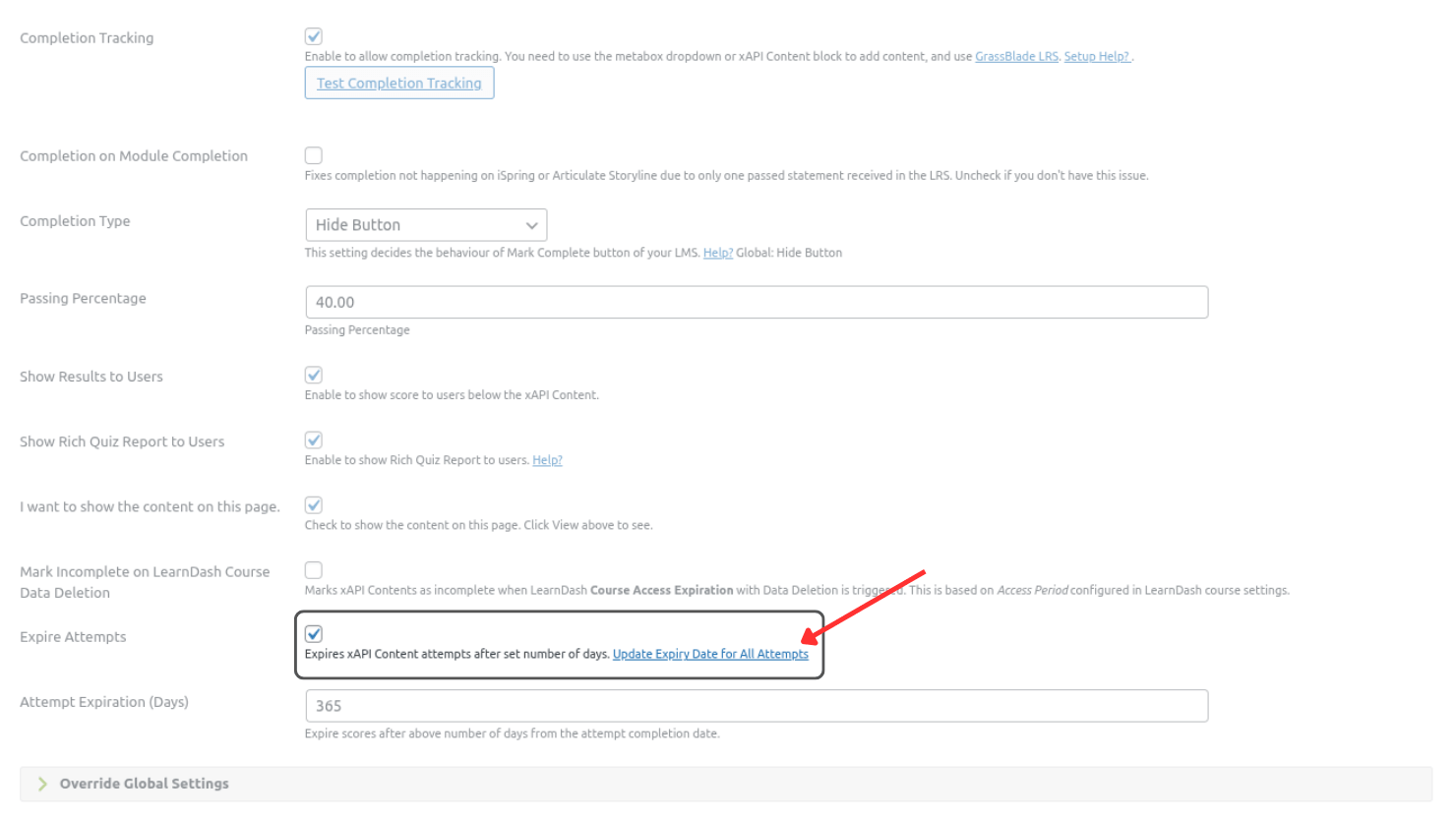
- Click this link to update the expiry date to all the attempts.
- Updated expiry date can be seen in the Results table below xAPI Content